 DailyWall
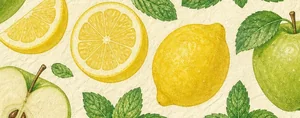 Sugar-free day
 Water the plants
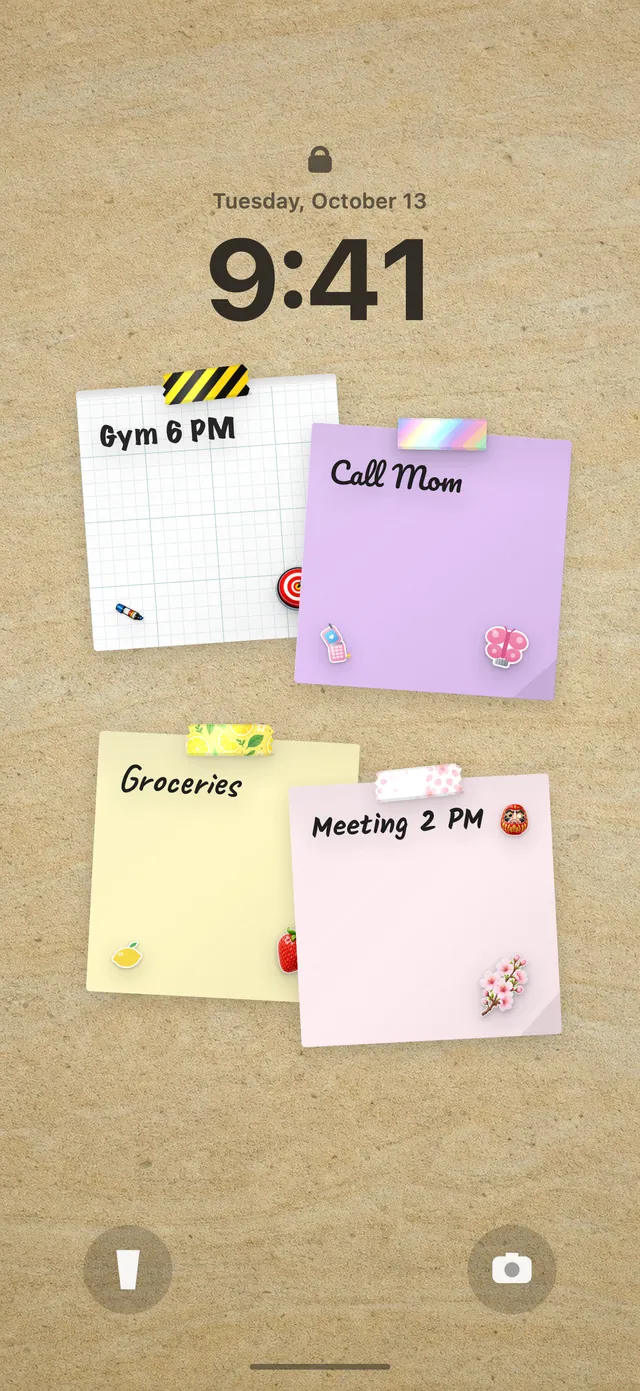
In DailyWall, tap + → Set up a habit → Health → Sugar-free day. Answer "What are you cutting out?" with Sweets, Sugary drinks or Both, keep the days on Every day and add an end date if you want a 30-day no sugar challenge. The paper appears on your wall and Lock Screen each day; tap + on it when the day was sugar-free.
Most people who try to cut sugar don't fail at 9am. They fail at 4pm, standing next to the office biscuit tin, or at 10pm with the fridge door open. The decision happens in a few seconds, and in those seconds the plan you made in the morning is nowhere to be seen. DailyWall puts that plan where you'll actually see it: a small "Sugar-free day" paper on your wall and your iPhone Lock Screen. You choose what you're giving up (sweets, sugary drinks, or both), and at the end of the day you tap + to mark it done. No calorie counting, no food diary, just one honest dot a day.
What "no sugar" usually means (and what it doesn't)
A no sugar challenge almost never means zero sugar of any kind. Fruit, milk and vegetables contain natural sugars, and cutting those out isn't the point. What most people are really targeting is added sugar: the sugar in sweets, cakes, biscuits, ice cream, fizzy drinks, sweetened coffee and a long list of packaged foods. Many health bodies recommend keeping added (or "free") sugars to a small share of what you eat each day, which is why sweets and sugary drinks are the obvious first targets.
This page is about a daily habit, not a diet or a treatment. If you have diabetes, take medicine that affects blood sugar, are pregnant, or have a history of disordered eating, talk to your doctor or a registered dietitian before changing how you eat. A habit tracker can help you notice patterns; it can't tell you what's right for your body.
Pick your scope: sweets, drinks or both
DailyWall's template asks one question: What are you cutting out? The answer changes how hard the challenge is, so pick deliberately.
Sugary drinks is the best starting point for many people. Fizzy drinks, energy drinks, sweet iced teas, juice drinks and syrup-loaded coffees can add a lot of sugar without making you feel full, and swapping them is a single, clear rule: water, sparkling water, unsweetened tea or plain coffee instead.
Sweets covers chocolate, sweets, pastries, cakes, biscuits and desserts. It's harder because it touches social moments: birthdays, office treats, dessert after dinner.
Both is the default and the classic no sugar challenge. If you've tried before and burned out in a few days, start with one and switch to Both after two weeks.
Tactics that actually help with cravings
Willpower is a poor plan for 4pm. These tactics reduce how often you have to rely on it:
Tick the steps as you go
Set up your sugar-free day in DailyWall
The habit paper comes with its own three themed washi tapes and three stickers, which only appear on habit papers, so your sugar-free day stands out from your other notes.
Tick the steps as you go
Why the Lock Screen helps with this habit in particular
Cutting sugar is a habit of saying no at the right moment. The moment usually involves your phone: you're waiting for the kettle, scrolling during a break, ordering food. Because your DailyWall wall is your Lock Screen wallpaper (set up once with a Shortcuts automation), the "Sugar-free day" paper is right there under the clock in exactly those seconds.
At the end of the day, open the app and tap + on the paper to fill its dot. When you close DailyWall, the wallpaper refreshes. If you haven't set up the Lock Screen wall yet, see how to put notes on your iPhone Lock Screen.
Had cake? Tomorrow is a new paper
All-or-nothing thinking is what ends most sugar challenges: one slice of birthday cake on day six, "well, I've ruined it", and the whole month is over. DailyWall is built to avoid that. A day you don't mark isn't carried over, isn't shown as a failure and doesn't reset a streak. It simply stays faded on its own day, and tomorrow a fresh paper is waiting.
Be honest with the dot and kind with yourself. Twenty-four sugar-free days in a month is a real change, even if it isn't thirty.
A 30-day no sugar starter plan
Tick the steps as you go
Questions people ask
What is a no sugar challenge?
It's a set period, often 30 days, in which you avoid added sugar, usually sweets and sugary drinks. Natural sugars in whole fruit, vegetables and plain dairy are normally still allowed.
Can I eat fruit on a no sugar challenge?
Most versions allow whole fruit, since it comes with fibre and water. Fruit juice and smoothies are a grey area; many people count them as sugary drinks.
How do I track sugar-free days on my iPhone?
In DailyWall, set up the Sugar-free day habit. A paper appears on your wall and Lock Screen each day, and you tap + on it when the day was sugar-free.
What happens if I eat sugar one day?
Nothing dramatic. You just don't mark that day. The paper stays faded on its own day, there's no streak to lose, and the next day starts fresh.
Does DailyWall count my sugar intake or calories?
No. It doesn't log food, count grams or connect to Apple Health. It's a simple daily yes: was today sugar-free by your own rule?
Is the sugar-free habit free?
Yes, your first habit is free and habit papers don't count toward the 5 free notes a day. Pro unlocks unlimited habits.
 A water intake tracker you see every time you check the time
 A reading habit tracker that keeps your book in sight
 A workout tracker that shows up before your excuses do
 How to build a meditation habit that survives busy weeks
 How to start a journaling habit (and actually keep it)
 How to fix your sleep schedule with one gentle bedtime habit
 A vitamin and medicine reminder that sits under the clock
 A daily walking habit you see every time you check the time
 A daily stretching routine you'll actually remember
 How to wake up early (and keep doing it after the first week)
 A gratitude journal habit that takes two minutes a night
 How to build a language learning habit that survives busy weeks
 How to build a saving money habit, one small deposit a week