 DailyWall
 Wake up early
 Water the plants
In DailyWall, tap + → Set up a habit → Productivity → Wake up early. Set your Wake-up time (6:30 is the default) and choose your First thing after waking: A glass of water, Stretching, Daylight or Free choice. The habit runs on weekdays by default; when you're up on time, tap + on the paper to mark the morning.
Almost everyone has tried the dramatic version: set the alarm for 5am, feel heroic for two days, then hit snooze for a week and give up. Waking up early rarely fails because of the alarm. It fails because the evening before didn't change, the jump was too big, and the first ten minutes after the alarm had no plan. DailyWall's Wake up early habit puts a small paper on your wall and Lock Screen with your wake-up time and one simple first thing to do, so the very first glance at your phone each morning reminds you what you're up for.
Waking up early starts the night before
There's no trick that turns six hours of sleep into eight. If you move your alarm earlier without moving your bedtime, you're simply sleeping less, and that rarely lasts. Many health bodies suggest that most adults need around seven or more hours a night, and sleep researchers often point out that a regular schedule, waking at roughly the same time every day, matters as much as the total.
So the real plan is: decide your wake-up time, count back seven to eight hours, and that's your bedtime. If going to bed earlier is the hard part, pair this page with our sleep schedule habit, which reminds you before bed. People also differ: some are naturally early, others naturally late. You can shift your rhythm gradually, but if you have ongoing sleep problems or feel exhausted whatever you do, talk to a doctor.
Move the alarm in small steps
If you usually get up at 7:30 and want to be up at 6:00, don't jump straight there. Move your wake-up time 15 minutes earlier every three or four days, and move bedtime by the same amount. In two to three weeks you're there, and each step felt almost unnoticeable.
In DailyWall, change the Wake-up time on the habit as you go. The paper always shows your current target, not a heroic number you set once in a burst of motivation.
Make the first ten minutes easy
The template asks First thing after waking, because a clear first action beats lying in bed deciding whether to get up. Choose one:
Tick the steps as you go
Set up your wake-up habit in DailyWall
The reminder is a gentle notification, not an alarm clock, so keep using your normal alarm to actually wake up. The paper comes with its own three sunrise-themed washi tapes and three stickers that only appear on habit papers.
Tick the steps as you go
The first thing you see in the morning
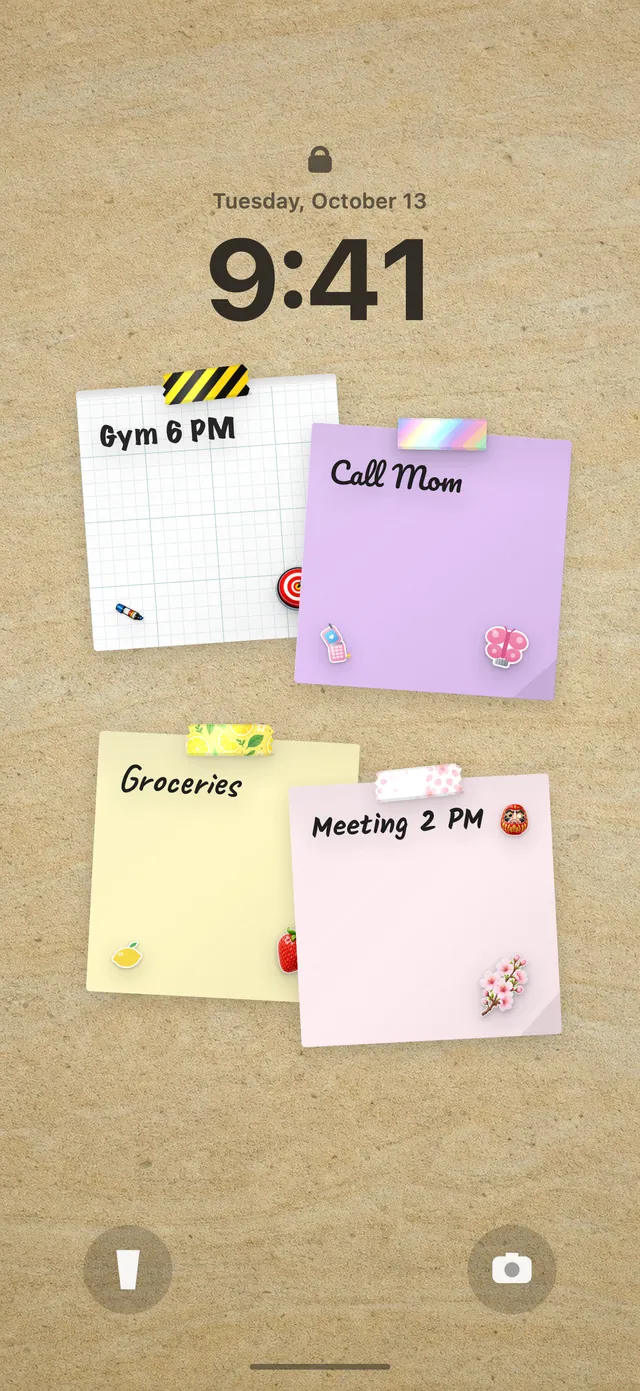
For most of us, the first thing we look at in the morning is the phone. Because your DailyWall wall is your Lock Screen wallpaper, the Wake up early paper is waiting under the clock when you switch off the alarm, along with today's other notes. Instead of opening messages in bed, you see your plan: up, glass of water, curtains open.
Once you're up, open DailyWall and tap + on the paper. That small tick is your first done thing of the day. New to the Lock Screen wall? Here's how to put notes on your iPhone Lock Screen.
Slept in? No streak to rescue
Late nights, sick children, jet lag and dark winter mornings will all win sometimes. When they do, DailyWall doesn't carry the paper over to tomorrow or show a broken streak. The morning simply stays faded on its own day.
What matters is that the next morning you return to the same wake-up time rather than trying to make up for it with an extra-early alarm. If you keep missing, your target is probably too ambitious for your current bedtime: move it 15 minutes later and build from there.
A 14-day early rising starter plan
Tick the steps as you go
Questions people ask
How can I wake up early without feeling tired?
Move bedtime earlier along with your alarm, shift in 15-minute steps, keep a similar wake time every day and get some daylight soon after waking.
How long does it take to get used to waking up early?
It varies, but gradual shifts over two to three weeks tend to be more comfortable than one big jump.
Is DailyWall an alarm clock?
No. The Wake up early habit shows your wake-up time and first step on your Lock Screen and can send a reminder, but you should keep using your normal alarm.
Can I use the habit only on weekdays?
Yes, weekdays is the default. You can add weekends or pick any days you like.
Does DailyWall track my sleep?
No. It doesn't measure sleep or use Apple Health. You mark the morning yourself when you're up on time.
Is the wake-up habit free?
Yes, your first habit is free and habit papers don't count toward the 5 free notes a day. Pro unlocks unlimited habits.
 A water intake tracker you see every time you check the time
 A reading habit tracker that keeps your book in sight
 A workout tracker that shows up before your excuses do
 How to build a meditation habit that survives busy weeks
 How to start a journaling habit (and actually keep it)
 How to fix your sleep schedule with one gentle bedtime habit
 A vitamin and medicine reminder that sits under the clock
 A daily walking habit you see every time you check the time
 A daily stretching routine you'll actually remember
 A no sugar challenge you see every time you pick up your phone
 A gratitude journal habit that takes two minutes a night
 How to build a language learning habit that survives busy weeks
 How to build a saving money habit, one small deposit a week