 DailyWall
 Stretching
 Water the plants
In DailyWall, tap + → Set up a habit → Movement → Stretching, choose How many minutes? (5 to 60, 10 by default) and Which area? (Full body, Back & neck or Legs). A paper appears on your wall and Lock Screen each morning, and you tap + to fill it in one go or in 5-minute parts.
Stretching is the habit everyone means to do and almost nobody does on an ordinary Tuesday. It isn't hard, and it doesn't need equipment; it's just easy to skip because nothing reminds you until your back does. A ten-minute routine done most mornings will usually beat an ambitious hour you never start. DailyWall puts a small "Stretching" paper on your wall with your minutes on it, so it's under the clock the moment you pick up your phone in the morning.
Why stretch every day?
Most of us spend long hours sitting, looking down at a phone or across at a screen. Gentle daily stretching is a simple way to move the joints and muscles that stay still all day. Many people find it helps them feel looser, especially through the hips, hamstrings, upper back and neck, and that range of motion improves gradually with regular practice.
It's worth being honest about what stretching does and doesn't do. Research on whether stretching before sport prevents injuries is mixed, and a short stretch won't fix a long-term problem on its own. Do it because it feels good and keeps you moving. If you have pain, an injury, recent surgery, or you're pregnant, check with a doctor or physiotherapist about which stretches suit you.
How to stretch safely
Tick the steps as you go
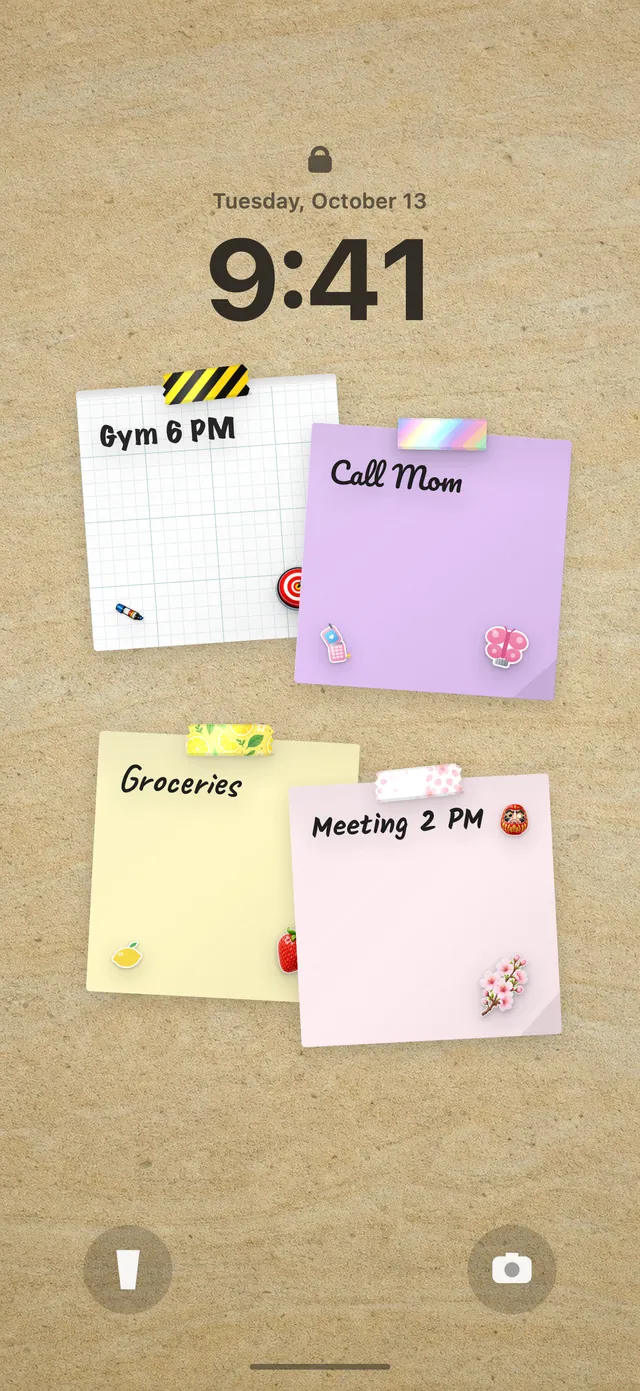
Three short routines to start with
DailyWall asks Which area? so the paper matches what you plan to do. Here's a simple starting point for each option:
Full body (10 min): cat-cow on hands and knees, child's pose, a low lunge on each side, a standing forward fold with soft knees, and a gentle spinal twist lying on your back.
Back & neck (10 min): slow neck tilts ear to shoulder, chin tucks, shoulder rolls, a doorway chest stretch, and thread-the-needle for the upper back. A good choice if you spend the day at a desk.
Legs (10 min): a seated hamstring stretch, a standing quad stretch holding a wall, a calf stretch against the wall, a figure-four hip stretch and a butterfly stretch.
Set up your stretching habit in DailyWall
The paper comes with its own 3 stretching-themed washi tapes and 3 stickers, which appear only on habit papers.
Tick the steps as you go
Your stretch, under the clock
Because your DailyWall wall is your Lock Screen wallpaper, the stretching paper is there the first time you check your phone in the morning. That's the moment that matters: before email, before the day takes over. When you finish, open the app and tap + on the paper; after you leave DailyWall the Shortcuts automation refreshes the wallpaper, so the paper shows the session as done.
If you'd like it to show on your Lock Screen and haven't set up the wallpaper yet, follow our guide to putting notes on your iPhone Lock Screen. It's a one-time setup.
Missed a morning? Stretch tomorrow
There will be mornings you oversleep or rush out. In DailyWall, that day's paper isn't carried over and there's no streak to break. It stays faded on its own day, and tomorrow's paper starts empty.
If mornings keep slipping, move the habit. Stretching works well after a workout, during a lunch break or as a wind-down before bed, and it pairs nicely with a sleep schedule habit. Hooking it onto something you already do, like brushing your teeth, is the idea behind habit stacking.
A 7-day stretching starter plan
Tick the steps as you go
Questions people ask
How long should a daily stretching routine be?
For most people, 5 to 15 minutes a day is a realistic start. DailyWall lets you choose anywhere from 5 to 60 minutes, in 5-minute steps.
Is it better to stretch in the morning or at night?
Either works; the best time is the one you'll keep. The template defaults to the morning, but you can pick another time of day and a reminder.
Does DailyWall show me stretching exercises?
No. DailyWall tracks the habit and reminds you on your Lock Screen. Choose the area you'll focus on and follow your own routine, a class or a video.
Can I split my stretching into shorter sessions?
Yes. With In how many steps? each tap can add 5 minutes, so two short stretches can fill a 10-minute paper.
What if stretching hurts?
Stretching should feel like mild tension, not pain. Ease off, and if pain persists or you have an injury, ask a doctor or physiotherapist.
Is the stretching tracker free?
Your first habit is free, and habit papers don't count toward the 5 free notes a day. Pro unlocks unlimited habits.
 A water intake tracker you see every time you check the time
 A reading habit tracker that keeps your book in sight
 A workout tracker that shows up before your excuses do
 How to build a meditation habit that survives busy weeks
 How to start a journaling habit (and actually keep it)
 How to fix your sleep schedule with one gentle bedtime habit
 A vitamin and medicine reminder that sits under the clock
 A daily walking habit you see every time you check the time
 A no sugar challenge you see every time you pick up your phone
 How to wake up early (and keep doing it after the first week)
 A gratitude journal habit that takes two minutes a night
 How to build a language learning habit that survives busy weeks
 How to build a saving money habit, one small deposit a week