 DailyWall
Your to-do list as your iPhone Lock Screen wallpaper.
Not a picture you make once and forget: DailyWall redraws the wallpaper from your real to-do list, so the Lock Screen always shows what is left for today.
Free to startNo accountiPhone & iPad · iOS 17+
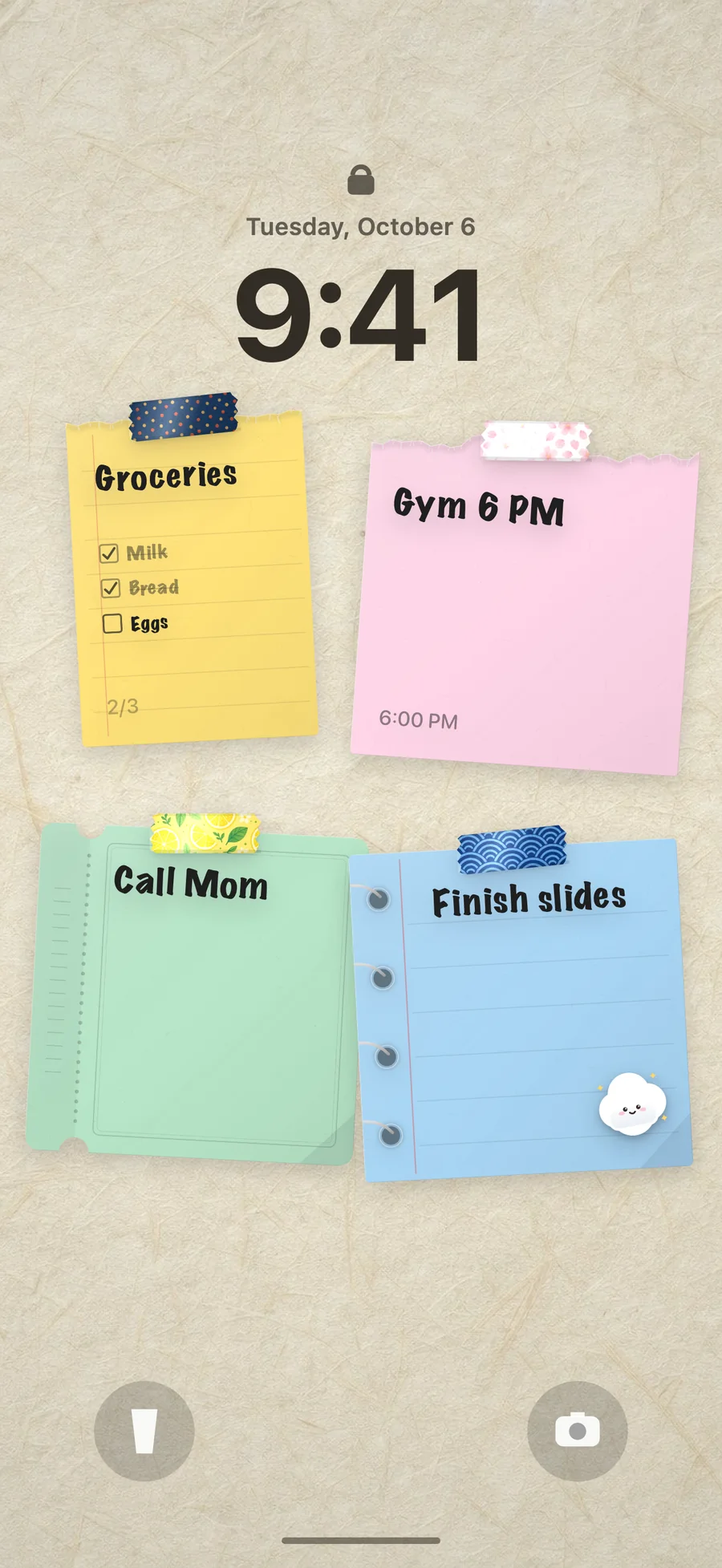
Why a wallpaper, not a widget?
Lock Screen widgets are a line or two of monochrome text. A wallpaper has room for the whole day: a checklist, a time, a colour for each kind of task and the little sticker that makes you smile. You see it every time you pick up your phone, without unlocking.
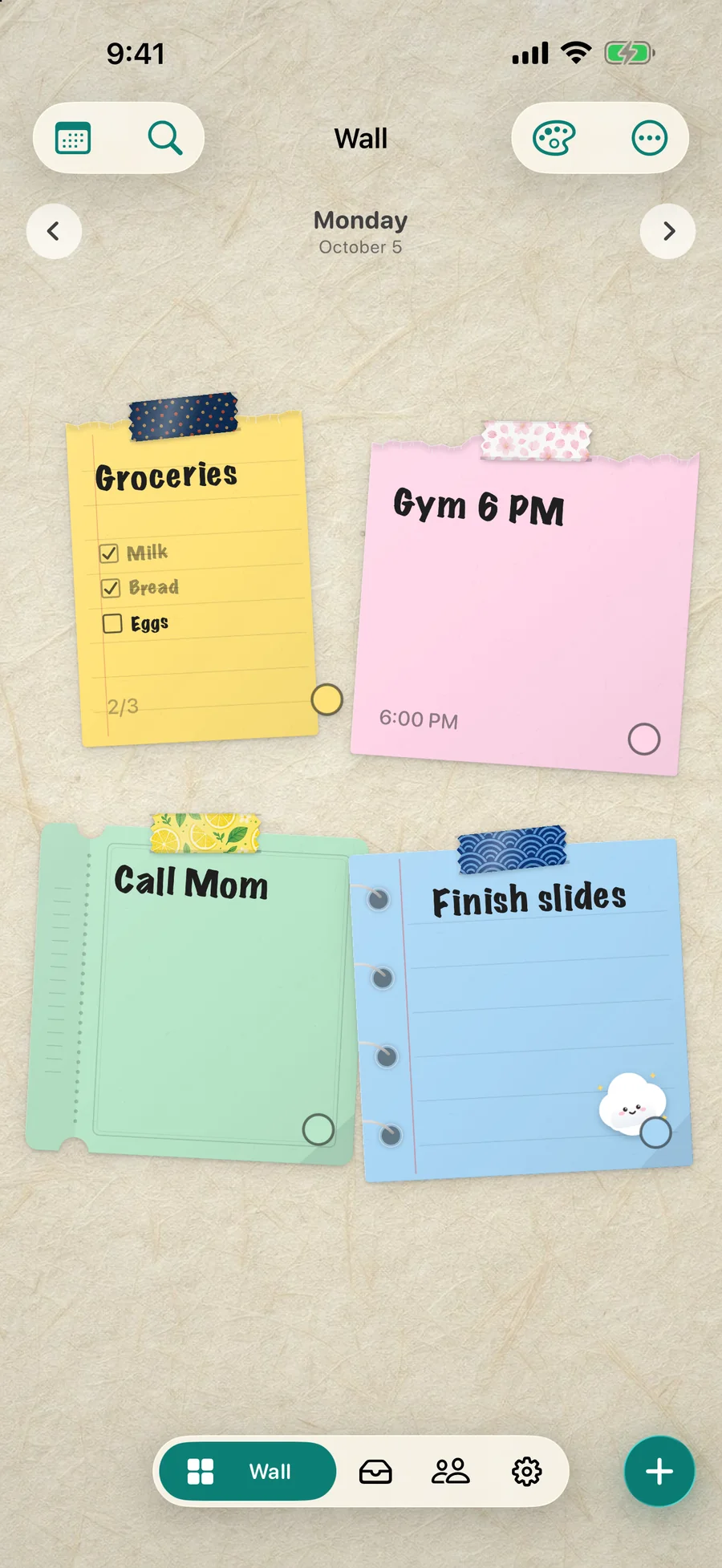
It updates itself
Add a note, tick an item, move something to tomorrow: the next time you close DailyWall, the Lock Screen gets the new wall. An optional morning trigger brings the new day’s list before you wake up.
- Ticked items show the tick on the Lock Screen
- Notes you move to another day leave today’s wallpaper
- Nothing is saved to Photos, ever
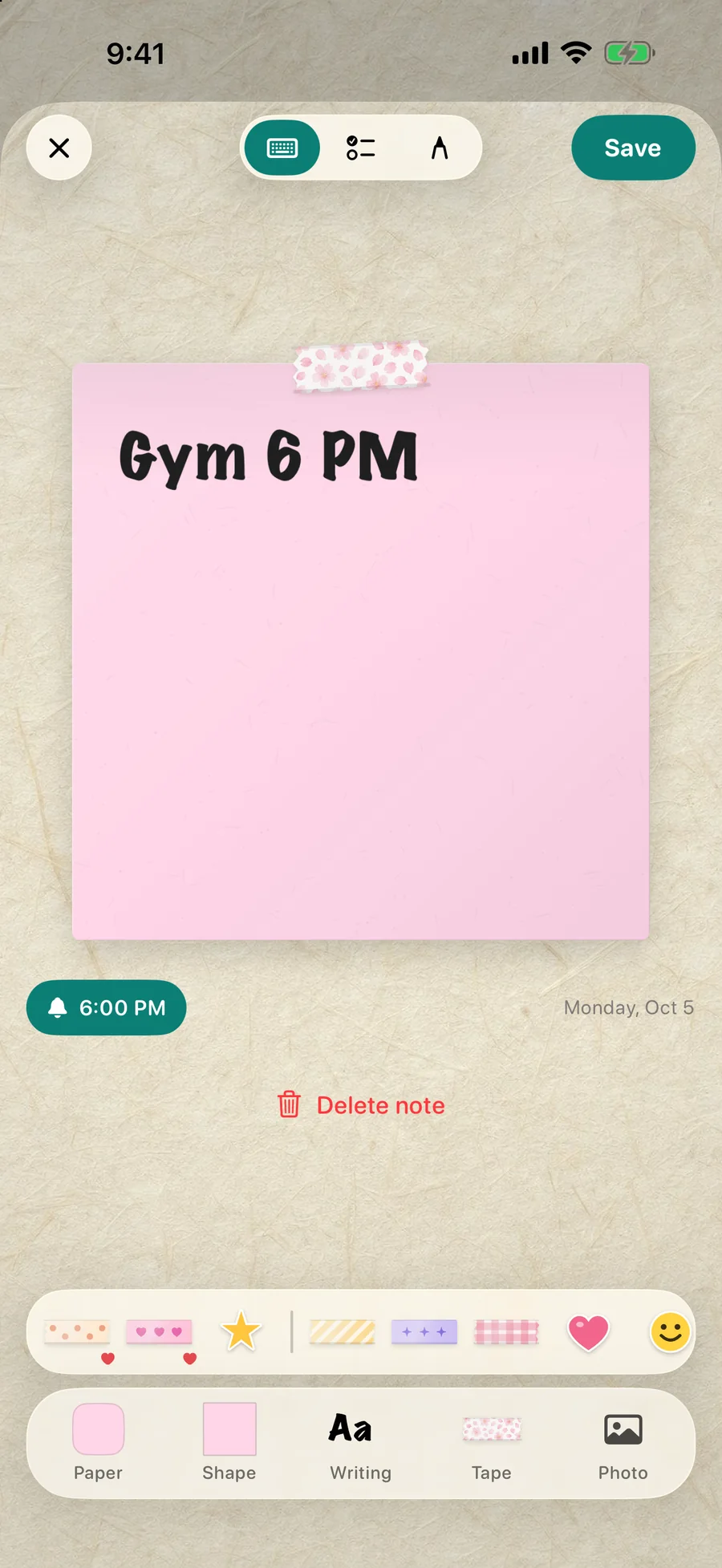
Lists that read like paper
Turn any note into a checklist. Write a time in it and DailyWall offers a reminder. Use colours and paper shapes to tell work from home at a glance, and make the important note bigger.
Set it up once
The Lock Screen page in DailyWall walks you through adding the shortcut and turning on one automation. It takes about two minutes and works on iOS 26 and iOS 27. Read the step-by-step guide.
Questions people ask.
Can I put a to-do list on my iPhone Lock Screen?
Yes. Write it on a DailyWall note and the wallpaper shows it with its checkboxes. See also the Reminders widget and other options in our guide.
Does the to-do list wallpaper change every day?
Yes. Each day has its own wall, and the Lock Screen shows today’s. Unfinished notes can be moved to tomorrow from the note’s menu.
Is it free?
The Lock Screen wall and five notes a day are free.
Make the most of your Lock Screen.
Put today on the wall.
Free to start. Five notes a day, every paper shape and handwriting, the Lock Screen wall. No account.