 DailyWall
Write it
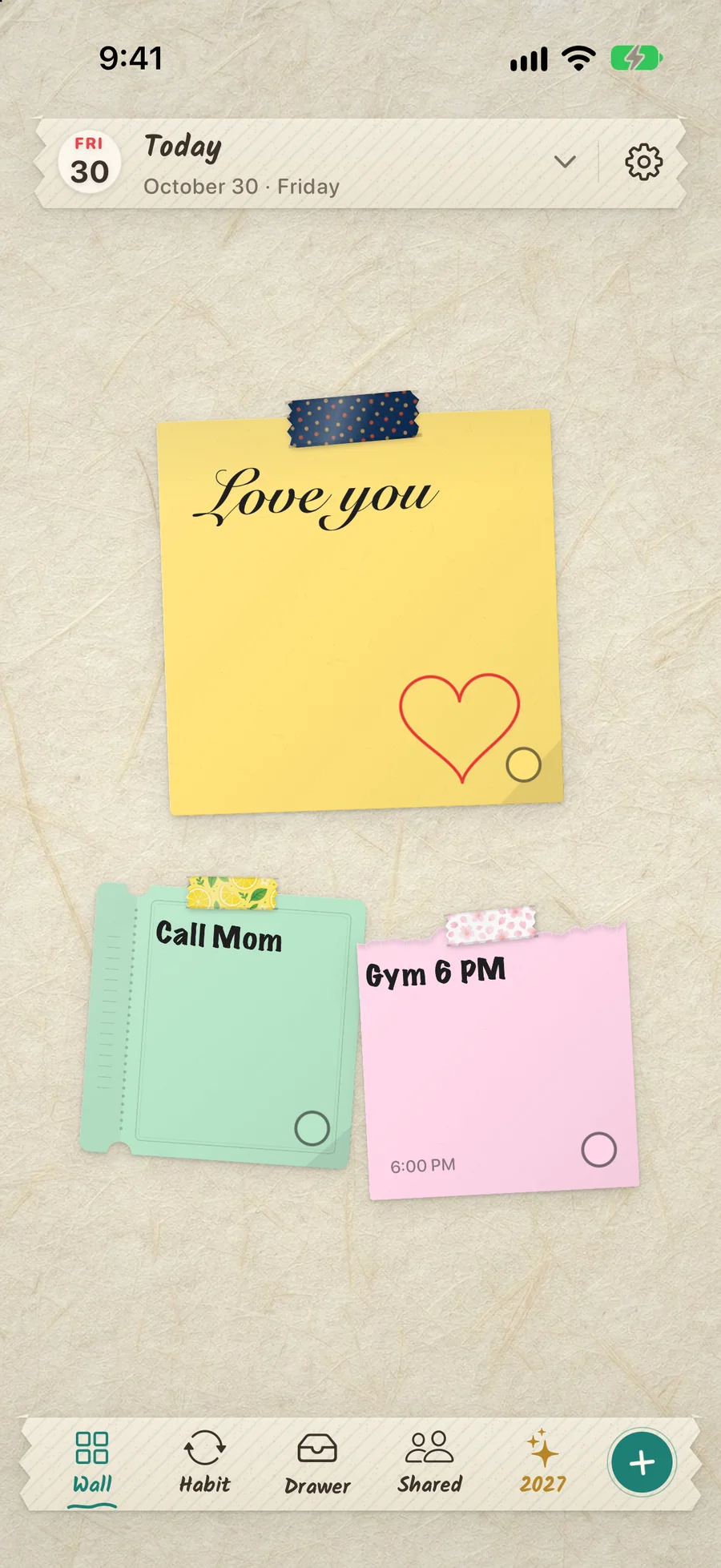
Tap the wall and a sheet of paper appears. Type, draw, or make a checklist. Write “gym 6pm” and it offers a reminder.
Your day, on a wall.Your 2027 goals, on your Lock Screen every day.
Write the day on paper, tape it to a wall, decorate it with stickers. DailyWall turns that wall into your iPhone Lock Screen wallpaper, so every glance at your phone is a glance at your plan. This October: pumpkins, ghosts and bats. Start the year with your goals in plain sight.
Free to startNo accountiPhone & iPad · iOS 17+

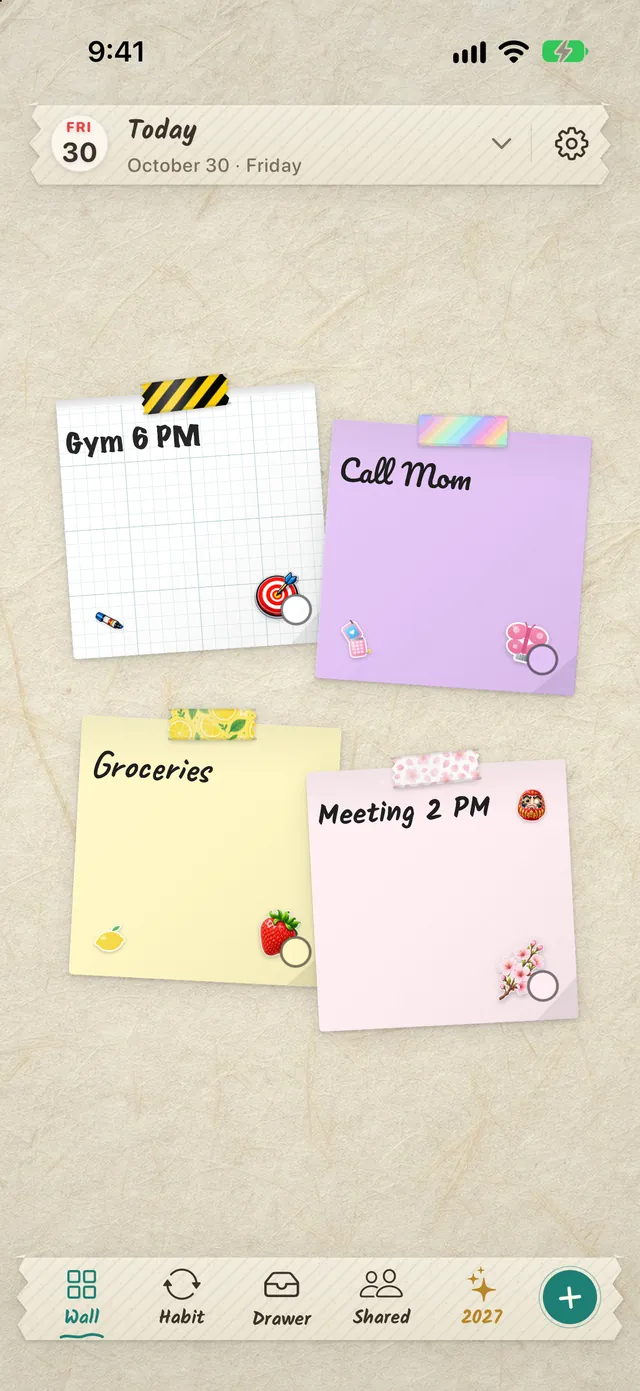
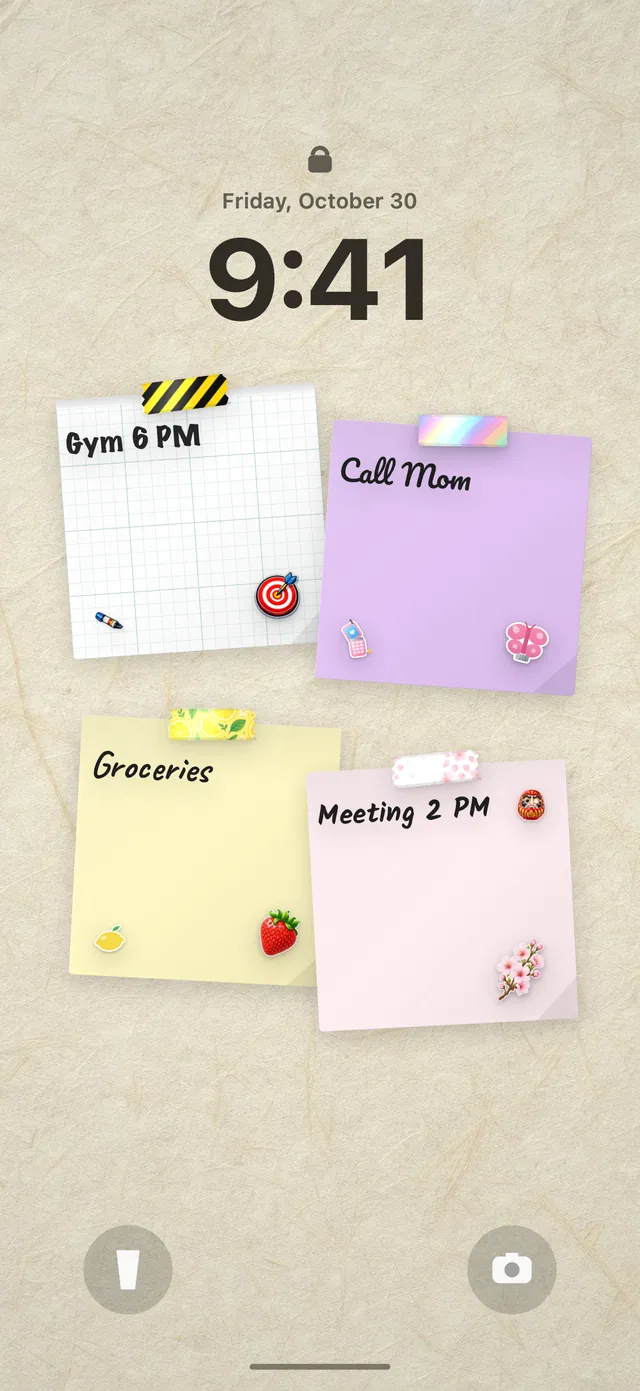
No widgets to arrange, no wallpaper to export. You write; the wall does the rest.
Tap the wall and a sheet of paper appears. Type, draw, or make a checklist. Write “gym 6pm” and it offers a reminder.
Stickers, washi tape, strings and 31 handwriting styles. Put them anywhere; pinch, twist, stamp, flick away.
A one-time Shortcuts automation sets the day’s wall as your Lock Screen. Widgets and Apple Watch, too.
The newest things we built, still made of paper and tape.
Pick one of 44 templates, from drinking water to calling your family. Its paper appears on your wall on the days you chose, and you fill its dots as you go. No streaks to lose, no red warnings.
Browse habit ideas
Type or dictate “tomorrow dentist at 10, buy oat milk, gym on Friday” and DailyWall splits it into separate papers on the right days. With Apple Intelligence it runs on your iPhone.

Hang one wish for 2027 on a wall shared by people around the world, and watch midnight travel across the time zones on New Year’s Eve.
Open the 2027 wall
An open-book planner on the foldable iPhone, a roomy wall on iPad, widgets on the Home Screen and Lock Screen, and an Apple Watch app with a complication.
This is what DailyWall does every time you close the app: your wall becomes the picture under the clock.
Write the year’s goals on paper and tape them up with the winter collection: mittens, a snow globe, gingerbread, a wreath, fair isle and pine-needle tapes. Your Lock Screen shows them every time you pick up your phone.
24 stickers, 14 washi tapes, 5 garlands, 6 walls and three new paper shapes: a tombstone, a ghost and a pumpkin. Hang your October plans and see them every time you pick up your phone.
Tie two notes together on the wall and the garland hangs between them, on your Lock Screen too.
Three Halloween paper shapes, free for everyone, plus five seasonal paper colours in the editor during the Halloween season.
Halloween papers: freeGraveyard Night wall: free during the seasonDrawn for paper, never blurry
270 stickers, 180 washi tapes, 34 strings and 70 walls, drawn for paper and sharp at any size. Put up to twelve on one note, and they go to your Lock Screen with it.
Tie two notes together and the string hangs between them, on your Lock Screen too.
Café, cute, botanical, Japan, space and moreDrawn for paper, never blurryDraw tape with your finger
DailyWall is a to-do list, a sticky note board and a Lock Screen in one place, with no account to make.
The day’s wall becomes your wallpaper, pixel for pixel, and refreshes on its own. Nothing is ever saved to your Photos.
Learn more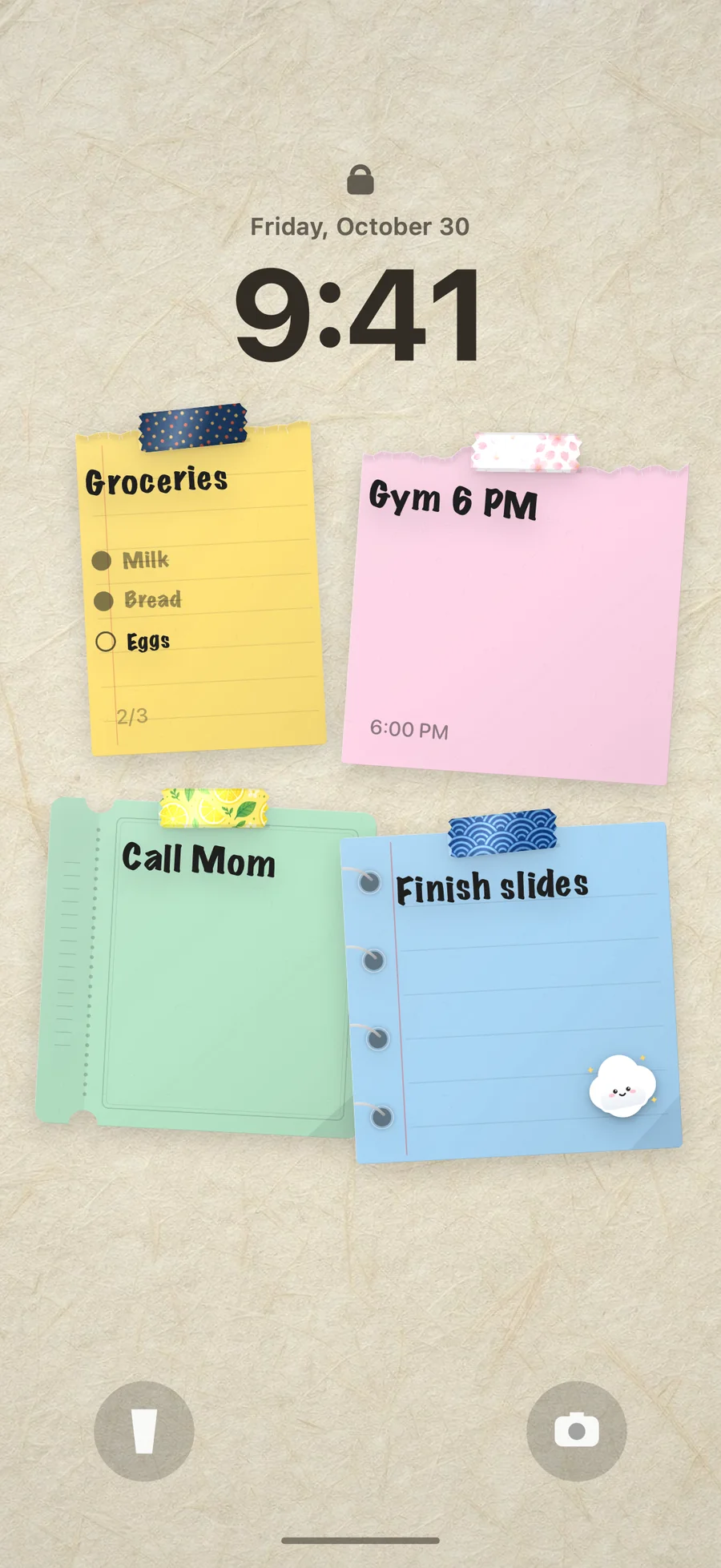
One wall for the two of you, the house or the trip. Everyone hangs paper on the same surface, and their notes can sit on your Lock Screen.
Learn more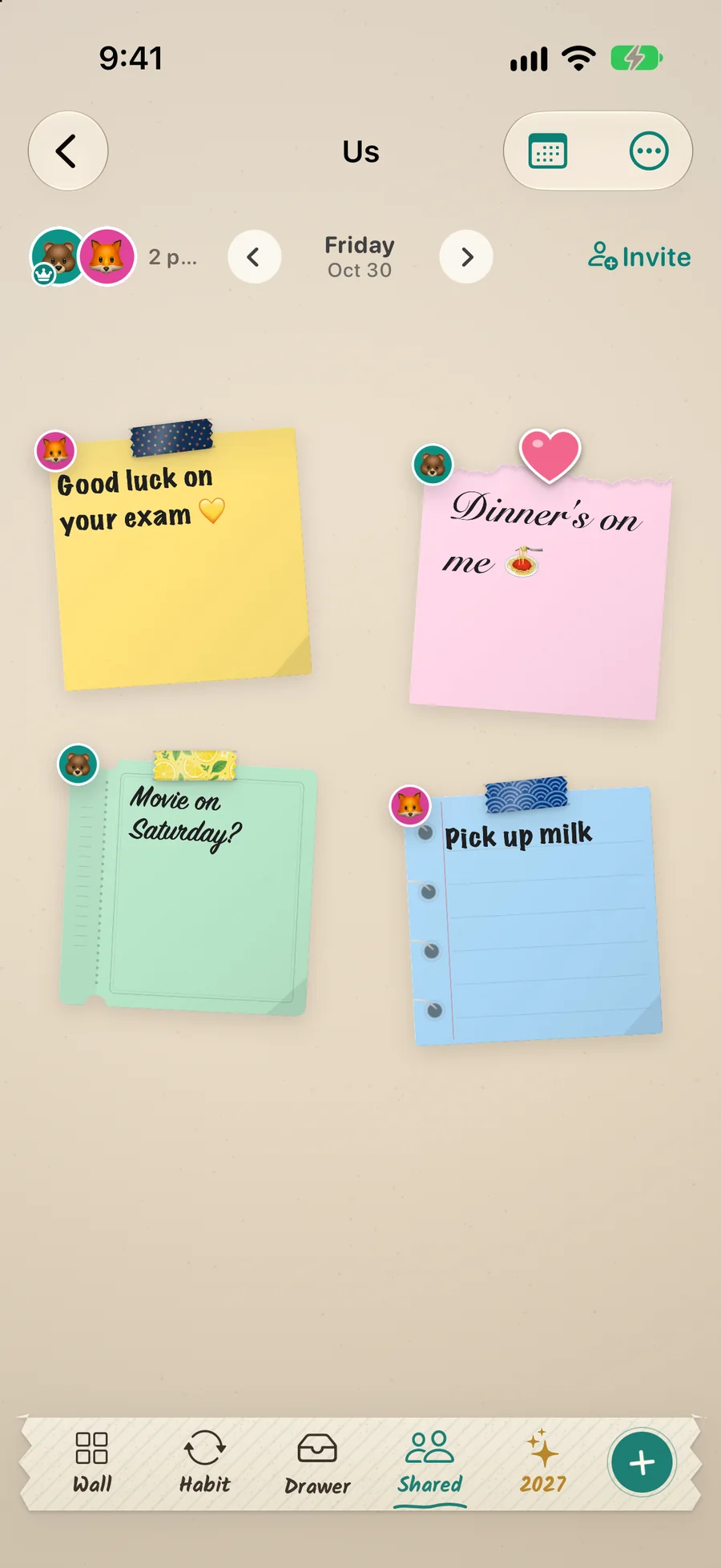
Up to twelve stickers and tapes on one note. Draw tape with your finger, stamp copies, flick to delete, with undo.
Learn moreToday’s paper on your Home Screen, a Lock Screen widget and Control Center controls. Tick a note off without opening the app.
Learn moreSeven days side by side, a dot under every day that has paper, and a drawer for someday things.
Marker, calligraphy, typewriter, chalk, brush. Twenty paper shapes from torn edge to ticket.
Learn moreWrite a time on the note and DailyWall offers a reminder for it. Lists tick off right on the paper.
Learn morePro lifts the daily limit and the shared-wall limit, keeps your wall in iCloud, and opens every sticker, tape, string and wall collection.
Prices are shown in your own currency on the App Store and may differ by country. Subscriptions renew automatically unless cancelled at least 24 hours before the period ends; cancel any time in Settings → Apple Account → Subscriptions.
No sign-up, no email address, nothing to remember.
No ad network and no profile. Only anonymous usage statistics, which never include what you write.
Nothing is written to your library unless you press the button yourself.
Notes live on your device and in your own iCloud, where we cannot reach them.
Yes. Write your notes on a wall in DailyWall and set up one Shortcuts automation from the app’s Lock Screen page. After that, every time you leave DailyWall the day’s wall becomes your Lock Screen wallpaper. The step-by-step guide shows every tap for iOS 26 and iOS 27.
Yes. The wallpaper is rebuilt from your notes every time you close the app, and an optional morning trigger brings the new day’s wall. Tick something off and the Lock Screen shows the tick.
Yes. Make a list on a note and tick items off on the paper; the Lock Screen shows the same note with its checkboxes. More in how to put a to-do list on your Lock Screen.
Yes. Five notes a day, every paper shape and handwriting style, 58 stickers, 48 tapes, 19 walls and the Lock Screen wall are free forever. Pro is optional.
No. DailyWall hands the image straight to Shortcuts and never writes to Photos on its own, and never deletes anything.
Yes: a Home Screen widget with today’s paper, a shared wall widget, a Lock Screen widget, Control Center controls and an Apple Watch app. See the widgets.
Only on a wall you share. Create a shared wall, send the link, and you both hang notes on it; your personal wall stays yours. How shared walls work.
It works on iPhone and iPad with iOS/iPadOS 17 or later. There is no Android version.
Free to start. Five notes a day, every paper shape and handwriting, the Lock Screen wall. No account.