 DailyWall
A sticky notes widget for iPhone that looks like paper.
Your notes as real paper on the Home Screen, with their tape, stickers and handwriting. Tick one off right from the widget, without opening the app.
Free to startNo accountiPhone & iPad · iOS 17+
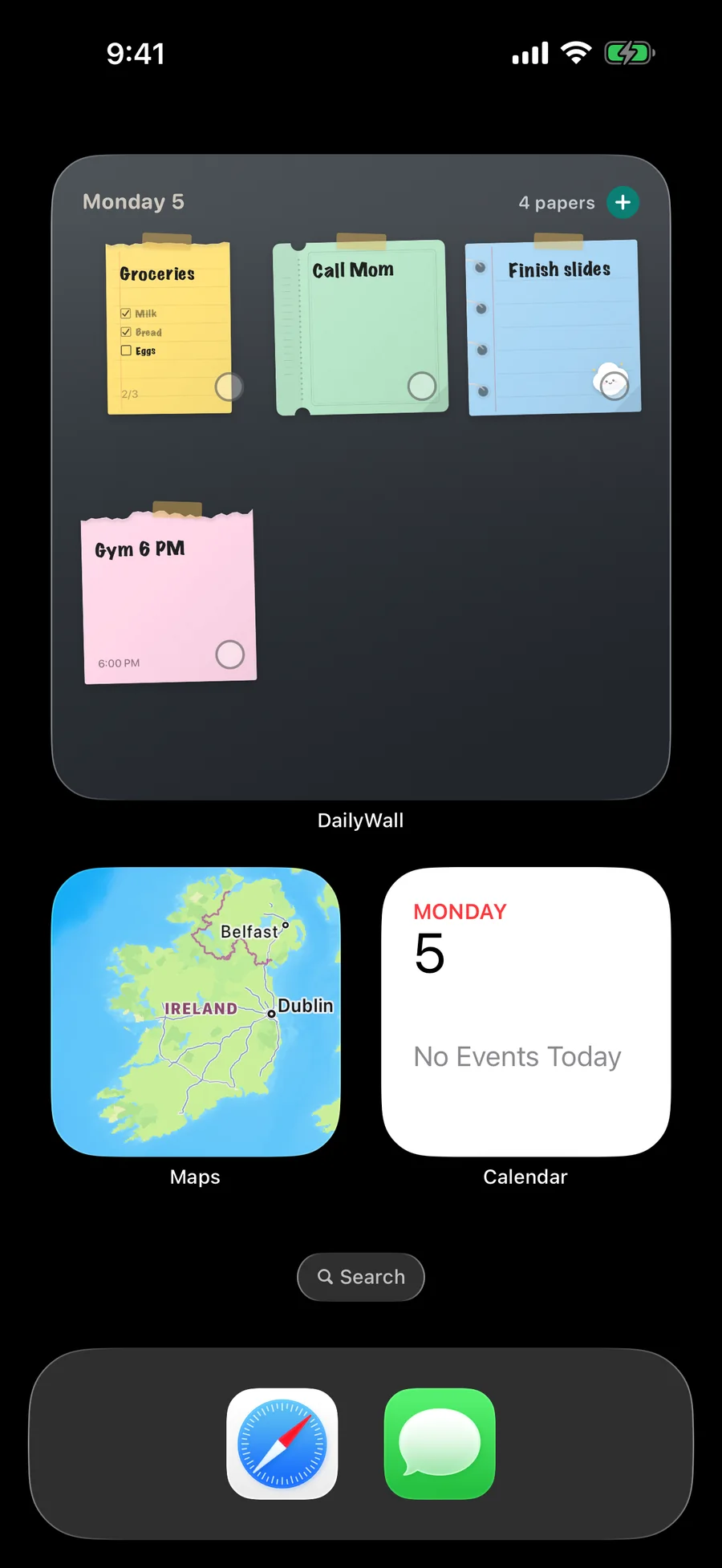
Today’s wall on your Home Screen
The DailyWall widget shows today’s papers as they hang on your wall, in small, medium and large sizes. Tap the ring on a note to mark it done; the widget, the wall and the Lock Screen all follow.
On the Lock Screen and in Control Center
The Lock Screen widget shows how many notes are left, the next one, or a single line above the clock. Controls put “new note” and “complete the next note” on the Lock Screen and in Control Center.
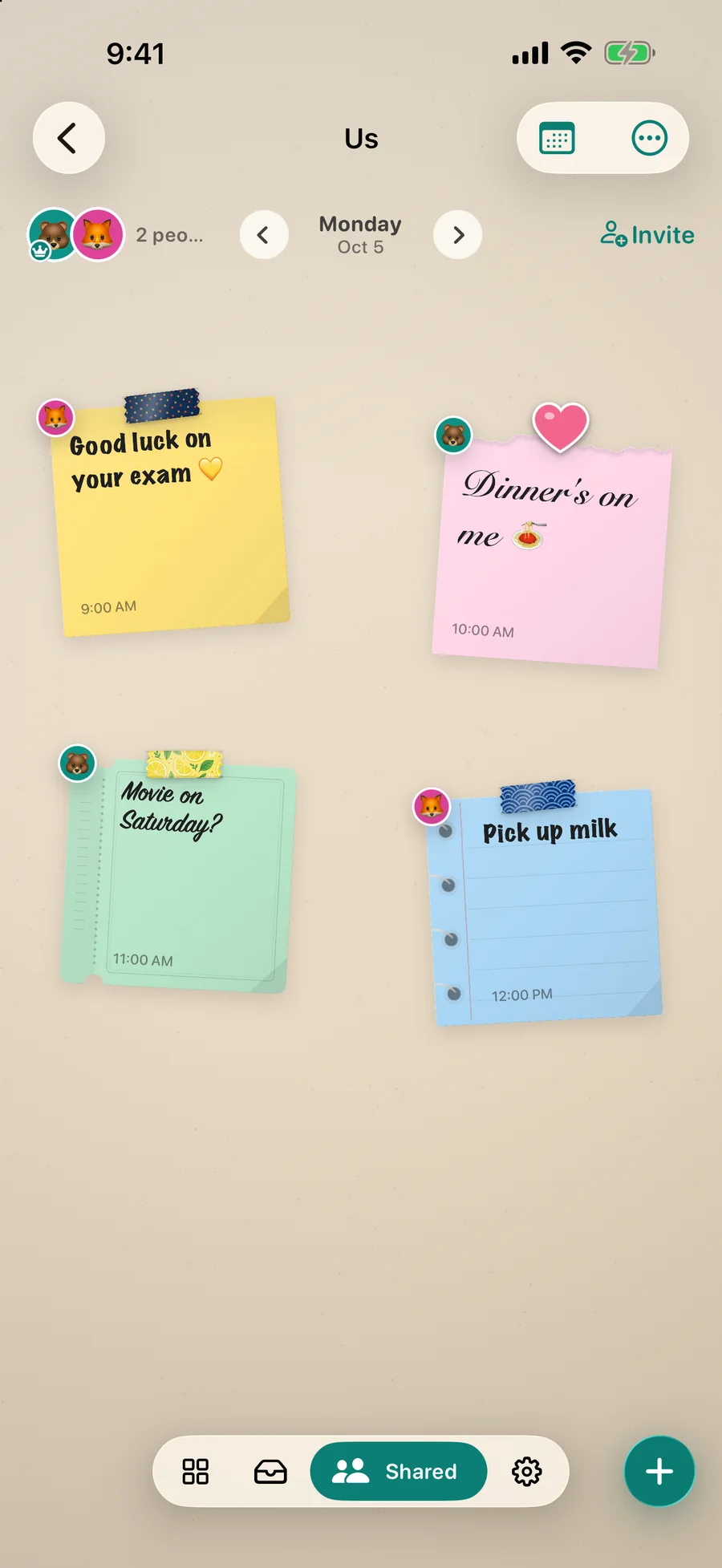
Shared notes in a widget
A shared wall gets its own widget: see at a glance who hung what, whether it is your partner’s “dinner’s on me” or the house shopping list. How shared walls work.
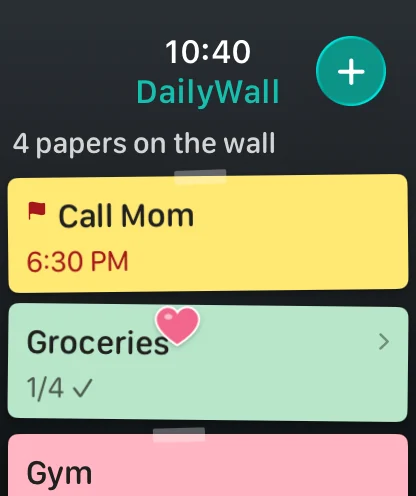
And on your wrist
The Apple Watch app shows today’s notes and their checklists, with a complication for the watch face.
Questions people ask.
Is there a sticky notes widget for the iPhone Lock Screen?
Yes. iOS draws Lock Screen widgets small and monochrome, so DailyWall’s shows the count, the next note or one line. For full colour notes on the Lock Screen, use the Lock Screen wallpaper.
Can I complete a note from the widget?
Yes. Tap the ring on a note in the Home Screen widget; the app does not need to open.
Does the widget work on iPad?
Yes, on iPadOS 17 and later.
Make the most of your Lock Screen.
Put today on the wall.
Free to start. Five notes a day, every paper shape and handwriting, the Lock Screen wall. No account.