 DailyWall
 Track spending
 Water the plants
Pick a fixed time each evening and write down everything you spent today, while you still remember it. In DailyWall, tap + → Set up a habit → Money → Track spending, and choose Where will you track it?: in a notebook, in a spreadsheet or in an app. The paper appears on your wall and Lock Screen every evening (21:00 by default); tick it once today's spending is written down.
Almost everyone who tries to track expenses starts strong and stops by the third week. The method is rarely the problem; notebooks, spreadsheets and budgeting apps all work. What breaks is the daily moment of writing it down. This page is about that moment: why a two-minute evening log is the most useful money habit you can build, what to write down, how to keep it from becoming a chore, and how DailyWall puts a "Track spending" paper on your iPhone Lock Screen every evening until it's done.
Why a daily log beats a monthly review
At the end of the month, a bank statement tells you where the money went, but by then it's history. A daily log changes behavior while it's still happening. Writing "coffee, $4.50" for the third day in a row is when you notice the pattern, not three weeks later.
It also makes the numbers honest. Cash, small card payments and subscriptions are exactly the things that disappear from memory. Two minutes each evening catches them all, and you never face a pile of 90 transactions on a Sunday.
A quick note: DailyWall doesn't connect to your bank and doesn't store amounts. It's a reminder that the two minutes happen; your numbers stay wherever you choose to write them.
What to write down
Tick the steps as you go
Notebook, spreadsheet or app?
That's the question DailyWall asks when you set up the habit, and the honest answer is: whichever you'll open every evening. A notebook is quick and calming, and the act of writing makes amounts stick. A spreadsheet adds totals and charts with no extra effort. A budgeting or banking app can import transactions, so your job becomes checking and categorizing rather than typing.
Your choice is shown on the paper, so it's clear where tonight's two minutes go. You can change it any time if the first method doesn't stick.
Set up your spending habit in DailyWall
The paper has its own washi tapes (coin purses and coins, rolled-up receipts, shopping bags) and stickers (a smiling coin, a notebook with a pencil, a shopping bag), used only on this habit.
Tick the steps as you go
One tick a day, under the clock
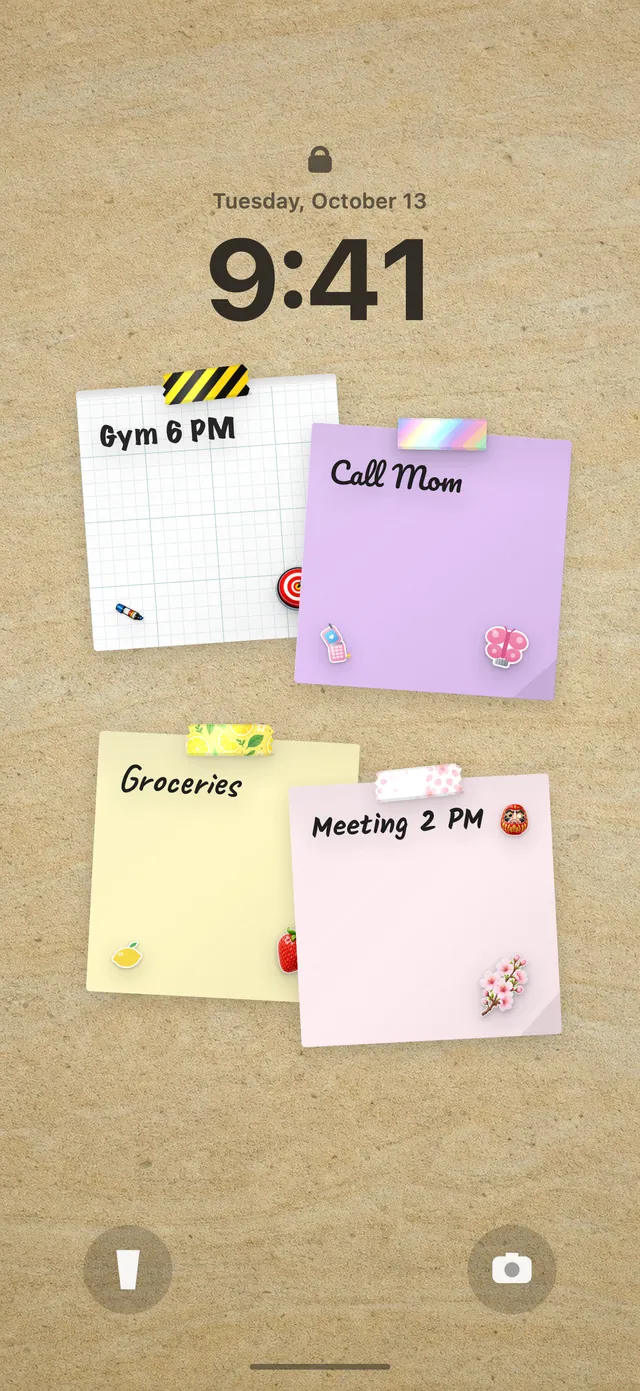
Because your DailyWall wall is your Lock Screen wallpaper, the spending paper waits under the clock each evening. It's a single tick: once today is written down, open DailyWall and tap + on the paper. Tomorrow evening it comes back fresh.
Pair it with a weekly saving money habit: the log shows where money leaks, the weekly paper moves what you saved into a goal.
Missed a day? Log yesterday and move on
There's no streak to protect in DailyWall; a missed paper simply stays faded on its day. If you forgot, add yesterday's spending to tonight's log while you still remember most of it, and carry on.
If you keep skipping, make it lighter: log only the total for the day, or only card-free purchases. A rough daily number beats a perfect log you abandoned.
Questions people ask
Does DailyWall track my expenses for me?
No. DailyWall is a daily reminder on your wall and Lock Screen. You log your spending in your own notebook, spreadsheet or app; DailyWall doesn't connect to banks or store amounts.
What's the best time of day to track spending?
The evening works for most people because the day's purchases are done and still fresh. DailyWall starts the habit at 21:00, and you can change the time.
How long should I track my spending?
Even 30 days gives a clear picture of where your money goes. Many people keep going because two minutes a day is easy once it's routine.
Is this the same as the saving habit?
No. Track spending is a daily log; Save money is a weekly paper with a goal and an amount. They work well together.
Is the spending tracker free?
Yes, your first habit is free and habit papers don't count toward the 5 free notes a day. Pro unlocks unlimited habits.
 How to build a saving money habit, one small deposit a week
 A water intake tracker you see every time you check the time
 A reading habit tracker that keeps your book in sight
 A workout tracker that shows up before your excuses do
 How to build a meditation habit that survives busy weeks
 How to start a journaling habit (and actually keep it)
 How to fix your sleep schedule with one gentle bedtime habit
 A vitamin and medicine reminder that sits under the clock