 DailyWall
Photo widgets show your pictures, not a note your partner writes for you today. A shared notes widget does: you both hang notes on one wall, and they appear on each other’s Home Screen and even the Lock Screen.
A couples widget is the digital version of a note on the fridge door: something your partner sees without having to open a chat. On iPhone it can live on the Home Screen, on the Lock Screen or both. Here is what you can do with Apple’s own apps, what a shared notes widget adds, and ideas that work for couples, long-distance relationships, roommates and families.
What Apple gives you for free
Shared notes in Notes: open a note, tap Share and invite your partner to collaborate. You both edit it, and the Notes widget can show it on the Home Screen. Good for lists, but it looks like a document, not a message.
Shared Reminders lists: share a list such as Groceries and both of you can add and tick items, with a Reminders widget on the Home Screen or Lock Screen showing a few of them.
Shared albums in Photos: the Photos widget can surface pictures, but you do not choose what appears when.
None of these shows a short, personal note from your partner on your Lock Screen. That is the gap couples widgets fill.
What a shared notes widget does
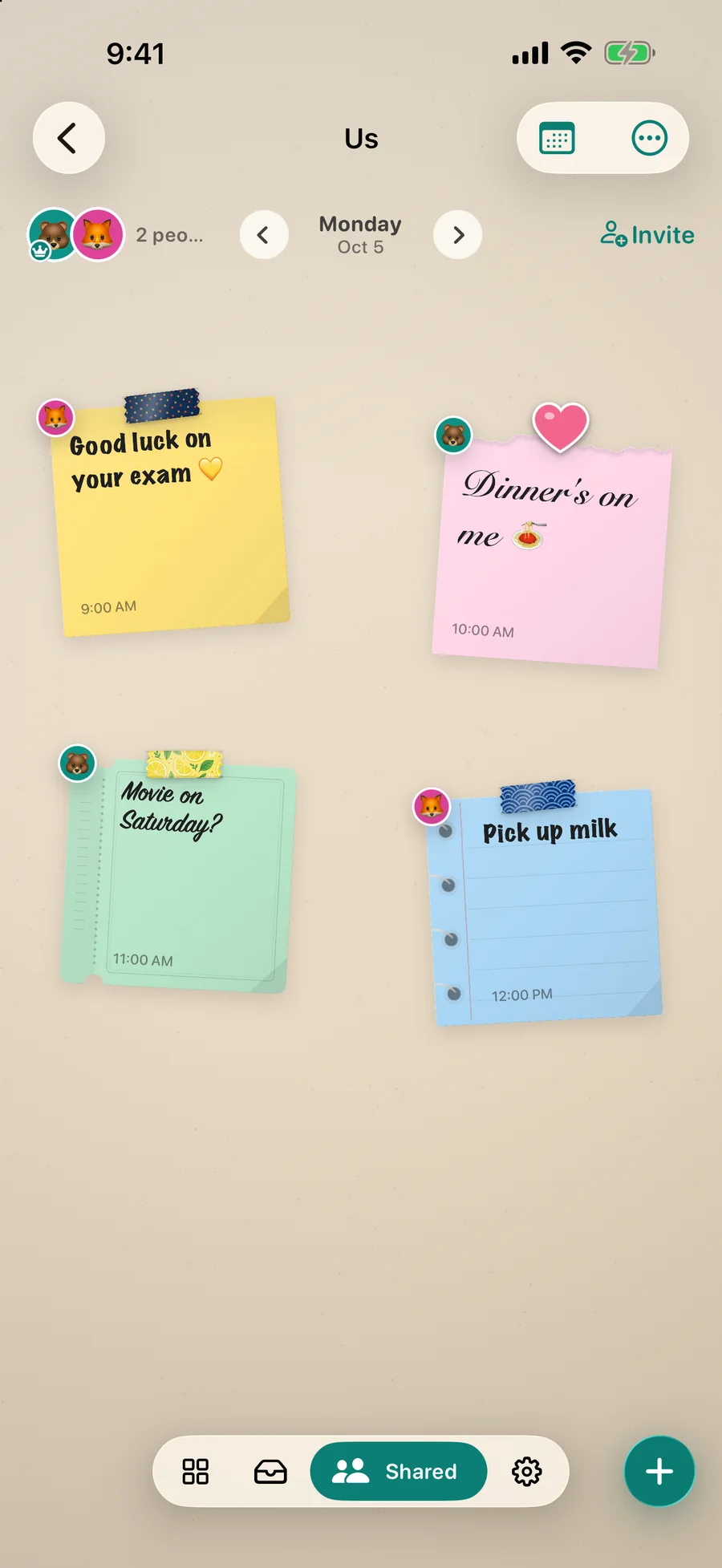
Couples widget apps fall into two groups: photo widgets (you send a picture, it appears on their screen) and note widgets (you write something, it appears on their wall or widget). Photo widgets are great for moments; note widgets are better for the everyday: “good luck at the interview”, “movie on Saturday?”, “I’m picking up milk”.
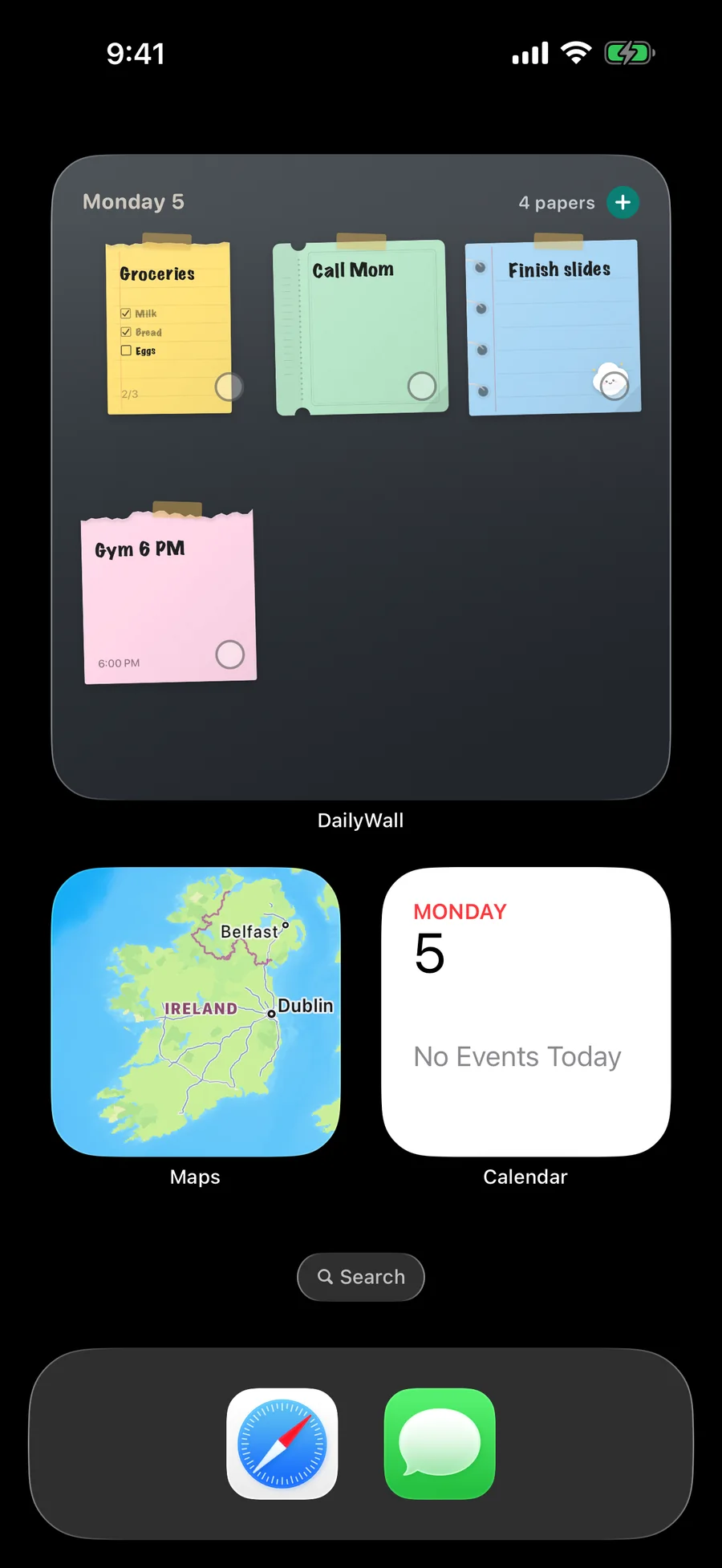
In DailyWall, the two of you share a wall. Each of you hangs paper notes on it, decorated with stickers and washi tape, and every note shows who wrote it. The shared wall has its own Home Screen widget, and its notes for the day can sit on your Lock Screen next to your own, each with your partner’s avatar in the corner.
Photo widget or note widget: which do you need?
Photo widgets are about moments: a selfie from the train, the dog asleep on the sofa. They are spontaneous and fun, but a picture does not hold a plan.
Note widgets are about the day: who is cooking, what time the flight lands, a kind word before an exam. They carry information, and they stay put until the next note.
Many couples use both. If you only pick one for everyday life, pick the one that carries words. With DailyWall you can still decorate every note with stickers and washi tape, so it feels personal rather than practical.
Set up a shared wall in DailyWall
Tick the steps as you go
Ideas for couples
Morning note: one line before they wake up. They read it on the Lock Screen with their first coffee.
Date plans: “Saturday: picnic, 4 pm” on a ticket-shaped paper.
Shared shopping list: a checklist you both tick at the store.
Countdown in words: “12 days until Lisbon” updated each morning (DailyWall does not count down automatically; changing the number is part of the ritual).
Little wins: “proud of you” on the day of the exam or the big meeting.
Long-distance relationships
Time zones make chat feel out of sync; a note on the wall waits patiently until they pick up the phone. DailyWall places shared notes on the right calendar day for both of you, so a note for “today” does not land on yesterday when you are hours apart.
Use the wall like a shared diary: one note a day each, a sticker for the mood, and the whole week visible in the week view.
Not just couples
Roommates: bins, bills, who bought the coffee.
Families: school pickup, a note for the kids, the weekend plan.
Friends: a trip wall with the packing list and the bookings.
More than two people can share a wall, and everyone’s notes are labelled.
Privacy
There is no account and no profile to fill in. Shared walls sync through Apple’s iCloud; only the people you invite can see them, and your personal wall is never shared.
Questions people ask
Is there a couples widget for the iPhone Lock Screen?
Yes. Notes from a DailyWall shared wall can appear on your Lock Screen next to your own, and the shared wall has its own Home Screen widget.
Does my partner need to pay?
No. Creating, inviting, joining and posting are free, with a small daily limit of notes on each shared wall. Pro removes the limit for whoever has it.
Does it work between iPhone and Android?
No. DailyWall is for iPhone and iPad only.
Can more than two people share a wall?
Yes: family, roommates or a group of friends. Each note shows who hung it.
Can my partner see my personal notes?
No. Only notes on the shared wall are shared.
Will my partner get a notification for every note?
DailyWall lets each person choose notification preferences per shared wall, so a busy wall does not have to buzz all day.